
How to Manage Conference Speakers: A Complete Guide for Event Organizers
Manage conference speakers effectively with a structured recruitment process, speaker agreements, and AV coordination to prevent day-of cancellations.
July 21, 2026
Speaker management is the most operationally complex part of running a conference. A single speaker generates more back-and-forth communication, more requests, and more coordination overhead than dozens of individual attendees. Yet most event organizers inherit speaker management processes that are fragmented, ad hoc, and entirely dependent on email.

This guide covers how effective conference teams structure speaker management from recruitment through day-of logistics, eliminating the chaos that typically emerges once a speaker agrees to participate.
How Speaker Management Becomes a Bottleneck
Speaker management feels chaotic because it happens across multiple channels: email inboxes, spreadsheets, text messages, and verbal commitments. A speaker agrees verbally at a networking event. Their bio arrives three weeks later via email. Their presentation file shows up two days before the event with a different title than promised. Their tech requirements (a second monitor, a specific video format) surface only when they arrive at the conference.
This fragmentation isn't an individual failure. It's structural. Speaker management requires coordinating across timeline gaps (months between recruitment and delivery) and across information silos: speaker details, presentation details, technical details, scheduling details, and attendee-communication details all live in separate places.
The result: 40% of speaker time at most conferences is spent chasing missing information, clarifying commitments, and troubleshooting technical failures that could have been prevented.
Effective speaker management collapses these silos by building a predictable process with clear deadlines, centralized tracking, and explicit communication.
Building a Speaker Recruitment Funnel
Speaker recruitment is a funnel problem. You need to invite 20 speakers to end up with 12 who say yes, and of those, 10 who actually show up and deliver on time.

Target the Right Speakers
Start with clarity on what "right" means for your conference. This isn't about prestige; it's about relevance to your audience.
Define speaker criteria:
- Topic alignment: Does the speaker address a problem your attendees care about? If your audience is event operations professionals, a CEO speech about "innovation" is misaligned. A talk about reducing check-in wait times is aligned.
- Audience expertise level: Will the speaker address beginners, experienced practitioners, or both? Mixing levels in a session creates either boredom or confusion.
- Experience level: First-time speakers need more production support. Seasoned speakers typically handle themselves better.
- Availability and commitment: Some speakers are reliable. Others cancel or go silent. Track speaker reliability over time.
Build a Tiered Recruitment List
Rather than inviting speakers sequentially, invite in batches:
- Tier 1: Obvious choices (60-70% probability of yes) — Industry leaders, previous speakers, referrals from your advisory board
- Tier 2: Strong candidates (40-50% probability) — Rising voices, practitioners with unique perspectives, recommended by peers
- Tier 3: Long shots (20-30% probability) — Published thought leaders, competitors' speakers, speakers you admire but haven't worked with
Invite Tier 1 first. Once you have 40% of your speaker slots filled, invite Tier 2. Once you have 70%, invite Tier 3. This timing prevents over-recruiting and gives you a fallback if top choices decline.
Make the Ask Specific
Vague invitations get declined or ignored. Specific invitations get accepted. Instead of "Would you like to speak at our conference?", say:
"We're hosting the 2026 Association Conference Operations Summit on May 15-17 in Chicago, with 800 event professionals expected. We're building a track on trade show operations and think your expertise in booth floor-plan design would be valuable. We're looking for a 45-minute session on 'Floor Plan Design That Drives Exhibitor Traffic.' The session would run from 2:00-2:45 PM on May 17 in the Grand Ballroom. Honorarium: $500. Speaking slots are available May 10-17 for any presentation rehearsals you'd like. Are you interested?"
This specificity gives the potential speaker enough context to make a real decision and eliminates back-and-forth clarification.
Vetting Speakers: Beyond the Bio
Not every speaker who commits can deliver. The vetting process is where unprepared teams stumble.

Watch Them Speak
Before confirming a speaker, watch them present. YouTube videos, conference clips, webinar recordings, or even a recorded demo call all work. You're looking for:
- Pacing: Do they rush through material or drag it out? Can they handle a live audience without losing momentum?
- Clarity: Can they explain complex ideas in straightforward language, or do they assume knowledge the audience doesn't have?
- Engagement: Do they read slides, or do they engage the audience? Do they handle questions well?
- Confidence: Are they comfortable on stage, or do they look panicked?
If you can't find a video of them speaking, ask for a 5-minute demo or sit in on a webinar they're hosting.
Assess Presentation Readiness
After you've heard them speak, ask:
- "Do you have slides for this topic, or will you build them from scratch?" (Building from scratch is riskier and often means delays)
- "Have you presented this material before?" (Once is often too few times; it shows)
- "What AV do you need?" (This is an easy way to gauge how much technical thinking they've done)
- "What's your backup plan if technology fails?" (Experienced speakers have one; inexperienced speakers give you a blank stare)
Confirm Availability and Reliability
Check references on speaker reliability. Ask previous event organizers: Did they confirm dates? Did they follow deadlines? Did they show up? Did they change their presentation topic last-minute?
Creating Enforceable Speaker Agreements
A speaker agreement should be a one-page document that sets expectations and protects both parties. Most conferences skip this because it feels formal, which is exactly why it's necessary.
Your speaker agreement should cover:
- The commitment: "You will deliver a 45-minute talk on [Topic] on [Date] at [Time] in [Location]"
- Preparation timeline: "Slides due by May 1. Final AV requirements by May 3. Participant list by May 8"
- Honorarium and logistics: "We will pay $500 upon completion of your talk. Travel and hotel are covered/not covered per the attached schedule"
- Cancellation terms: "If you cancel with less than 60 days' notice, we reserve the right to recover travel costs. Cancellation 14+ days before the event incurs no penalty"
- Slide ownership and use: "We will record and distribute your presentation. By accepting this slot, you grant us a perpetual license to use your presentation for educational purposes"
- Speaker responsibilities: "You agree to arrive 30 minutes before your session for AV check. You agree to follow the assigned time slot and not exceed [X] minutes"
Have them sign or confirm electronically before confirming them publicly. This converts a handshake into a documented expectation.
Managing Abstracts and Proposal Submissions
Many conferences invite speakers and then ask for abstracts weeks later. This is backwards. You should know the abstract before you confirm the speaker.
Request the Abstract with the Invitation
Send the speaker:
- The event name, date, and location
- The topic/track they'd be speaking in
- The expected audience size and composition
- A 200-word abstract template
- A deadline (typically 2 weeks from invitation)
The abstract should answer:
- What problem or topic will this session cover?
- What will attendees learn or be able to do after this session?
- Who is this session for? (Beginners, experienced practitioners, executives, mixed)
- What are the 3-4 core takeaways?
Use Abstracts to Vet Sessions
Once you receive the abstract, evaluate it:
- Is it clear to someone outside their industry?
- Does it make a specific promise about what attendees will learn?
- Does it fit the conference theme and audience level?
- Would an attendee look at this and know immediately whether it's relevant to them?
If the abstract is vague, generic, or misaligned, ask for a revision before approving the speaker. A weak abstract is a leading indicator of a weak presentation.
Publish Abstracts Only When Finalized
Once all abstracts are approved, publish them in your event program and registration site. This helps attendees decide which sessions to attend and signals to speakers that the commitment is real.
Coordinating AV and Technical Requirements
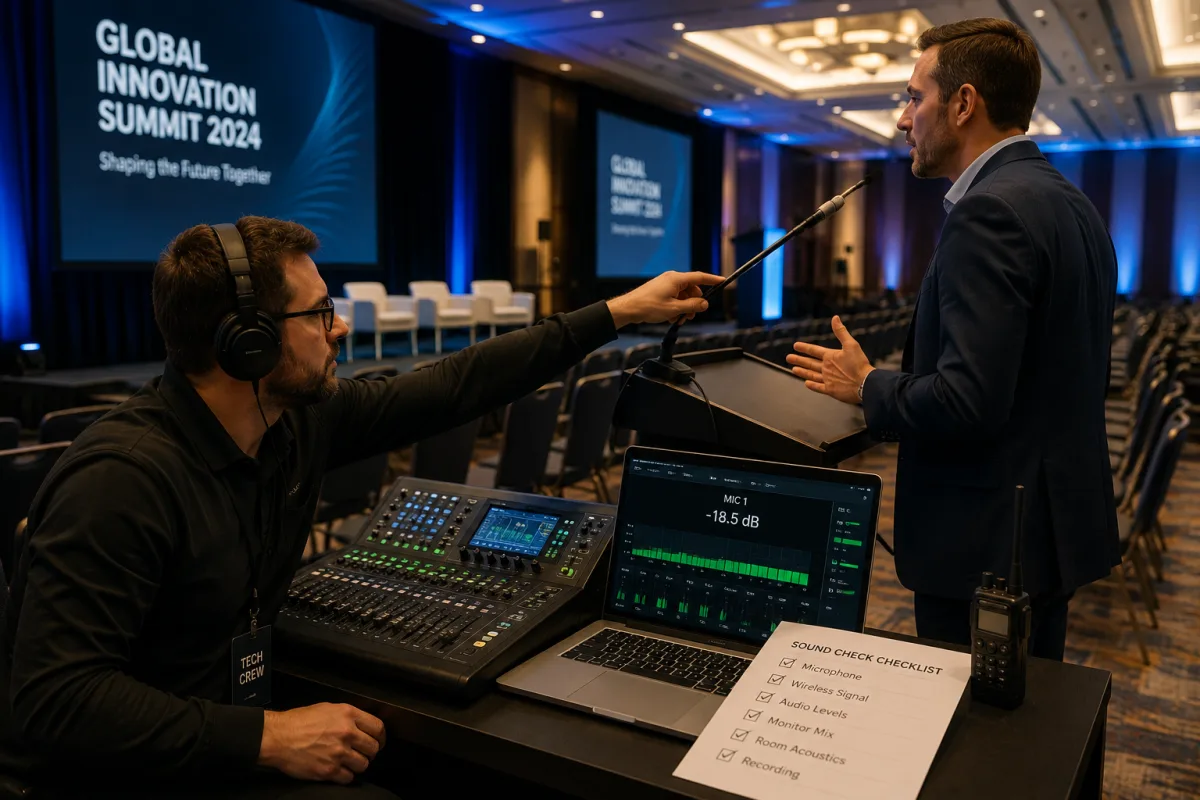
AV failures are the number-one cause of speaker stress and audience frustration. Most failures are preventable with proper coordination.
Session Management
Keep a multi-track agenda organized
Manage sessions, rooms, speakers and capacities in one place, and push schedule changes to attendees in real time.
Request AV Requirements Early and Specifically
Don't ask "Do you need any tech?" Ask instead:
- Will you use your own laptop or ours?
- What version of the software/platform will your presentation run on? (Some older VGA adapters don't support newer resolution standards)
- Do you need two monitors, or is one sufficient?
- Will you need an internet connection for live demos? (If yes, we test it the day before)
- Do you need audio input beyond the room speakers? (Microphone, audio from a video, music)
- Will you show video? If so, what format and resolution?
- Do you need any stage props, lighting adjustments, or other non-standard setup?
Document these requirements in writing. A brief email response beats a verbal conversation that gets forgotten.
Test Everything the Day Before
Regardless of what a speaker claims they need, do a full technical run-through the day before their session. Have them bring their laptop (or connect to yours) and walk through their entire presentation. This is where problems surface:
- Fonts render differently on the projector than on their laptop
- A video file is corrupted or in a format the system doesn't support
- The presentation is much longer than they said
- Their demo requires internet and the connection drops
- They need speaker notes but the system isn't displaying them
The test run is insurance. A 30-minute test run prevents a 45-minute on-stage disaster.
Have a Backup Plan
Experienced speakers bring a PDF version of their slides in case their laptop fails. Have a backup laptop ready with the slides pre-loaded. Have a printed script or speaker notes in case they need them. Have an AV technician standing by during the session.
If a speaker's technology fails and they freeze, a good technician can pivot to a slide show of the PDF while the speaker talks. Most attendees never notice.
Scheduling Speakers Across Sessions
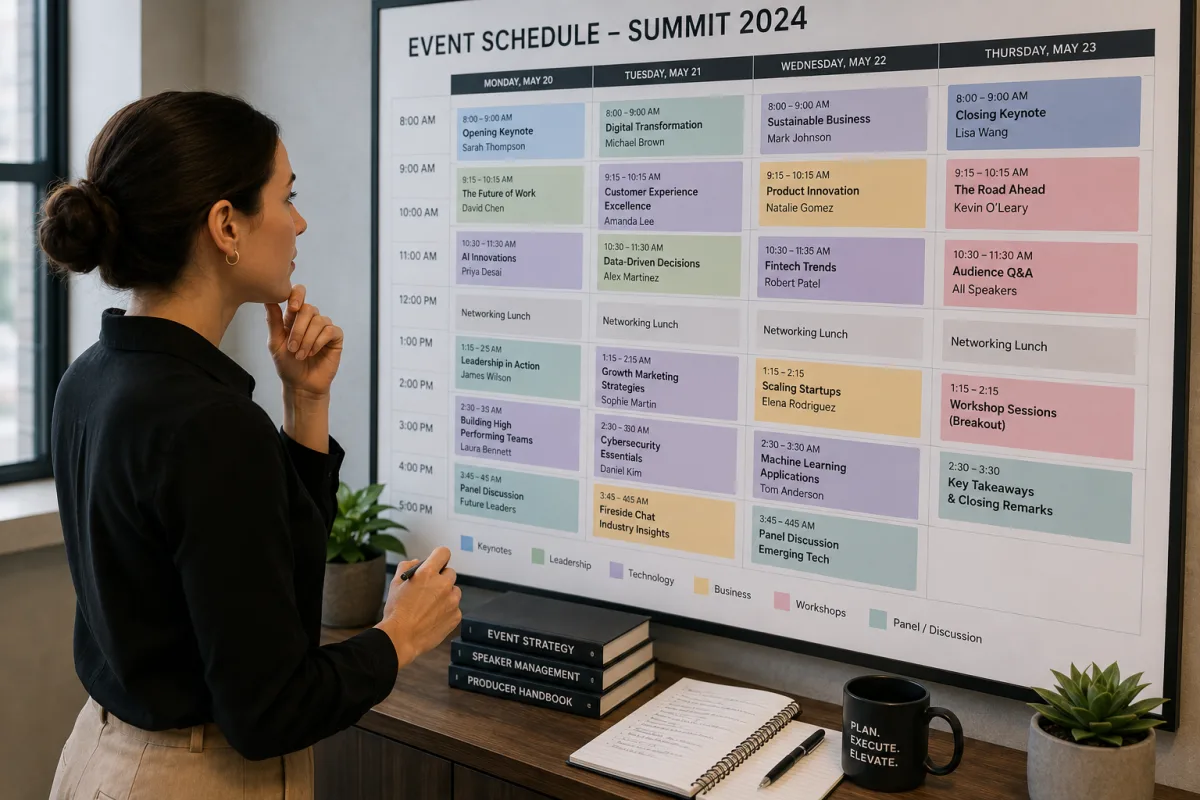
Speaker scheduling is about more than finding time slots. It's about building a flow that keeps the audience engaged and sets speakers up for success.
Avoid Back-to-Back Speakers from the Same Organization
If two speakers from Company X speak consecutively, attendees tune out. Alternate speakers from different organizations. This also prevents one organization from dominating the narrative.
Place Your Strongest Speakers Strategically
- Keynote slots (opening, closing): Your biggest names or most engaging speakers
- Mid-afternoon slots (3-4 PM): Engage speakers who can re-capture attention after lunch slump
- Deep-dive sessions (day 2 or 3): Experienced speakers who can handle more technical depth
Reserve opening and closing slots for speakers who have a following or whose topics have broad appeal.
Account for Logistics and Travel
If a speaker needs extra setup time (live demo, complex AV), don't schedule them in a high-traffic area right before another session. Build buffer time.
If speakers are traveling from out of town, consider their timezone and jet lag when scheduling. If a speaker is flying in from the West Coast, don't put them in an 8 AM session the next morning.
Build Speaker Selection Time into Registration
Attendees should be able to see the full speaker list and abstracts before or immediately after registering. If speakers are announced after registration opens, attendees may miss sessions they'd be interested in.
Speaker Communication: The Timing That Matters
Effective speaker communication follows a timeline. Miss a deadline and everything downstream gets chaotic.
Timeline for a May Conference
6 months out (November): Send recruitment invitations
5 months out (December): Confirm speakers; request abstracts
4.5 months out (mid-January): Publish speaker lineup and abstracts; open registration
3 months out (February): Request AV requirements and final bio/headshots
6 weeks out (late March): Confirm all logistics (travel, hotel, speaking time, ground transportation)
4 weeks out (early April): Send final run-of-show; request slides due by [date]
2 weeks out (late April): Slides must be in; confirm speaker availability for rehearsal/AV test
1 week out (early May): Final confirmation email; agenda lock; no more changes
2 days before (May 13): AV tech walk-through with each speaker
Day before (May 14): Final rehearsal and tech check with full setup
Day of (May 15): 30-minute speaker brief; speaker stands by in green room 15 minutes before session
This timeline is aggressive but necessary. Most conference delays happen because communication deadlines aren't enforced.
Confirmation Emails Matter More Than You'd Think
A speaker who gets three reminder emails is far less likely to miss a deadline than a speaker who gets one. Your communication should escalate:
- Initial request — "Please send us your slides by April 15"
- One week before deadline — "Slides due April 15. We'll do your AV test April 16 morning"
- Day of deadline — "Slides due by end of day today"
- Day after deadline — "We didn't receive your slides. Please send by 9 AM tomorrow or we'll proceed with a placeholder"
This escalation feels repetitive to you. To speakers, it's normal email rhythms.
Handling Cancellations and Last-Minute Changes
Cancellations happen. The question is whether you handle them with a backup plan or with chaos.
Have a Cancellation Protocol
- 60+ days out: Fill the slot with another speaker; rework the schedule
- 30-60 days out: Offer a 50% refund and credit toward next year's event; move the speaker's session to a later time slot
- Less than 30 days: Ask if they can run a recording instead of a live presentation; if not, keep their session in the schedule but note it as "Recorded Presentation" or move it to a pre-recorded track
Prepare Backup Speakers
For critical slots (keynotes, main track sessions), identify one backup speaker per slot. Contact them after you confirm your primary speaker: "You're our first choice. If our primary speaker cancels, would you be willing to step in with short notice?" Backup speakers are often excited about the possibility and are prepared to move fast.
Handle Last-Minute Logistics Changes
Speakers sometimes request last-minute changes: a different time slot, a different session title, a different room setup. Before you say yes, ask:
- How much downstream work does this change create? (Reprinting materials, notifying attendees, rescheduling AV tech tests)
- Is the change necessary or just convenient for the speaker?
- What's the cost of saying no versus the cost of saying yes?
If a speaker requests a room change 48 hours before their session and the original room is already booked, they have to use the original room. If they request a time change after the agenda is published, they have to stick with their assigned time. Flexibility earlier in the process is fine; flexibility at the last minute has a cost.
Running Conference Speakers with VenueSight
A speaker management system replaces email spreadsheets with a centralized hub where every speaker, session, and deadline lives in one place.
VenueSight's speaker and session management feature provides:
Speaker Profiles: Capture speaker bio, headshot, contact information, and AV requirements in a dedicated profile rather than scattered across emails and sheets.
Session Planning: Build your conference agenda, assign speakers to sessions, and manage session descriptions and timing from a central dashboard.
Communication Templates: Set up automated reminders that fire on your timeline: "Abstract due in 7 days", "AV requirements due in 14 days", "Final confirmation in 3 days". This eliminates the manual work of sending individual emails.
Attendee-Facing Session Directory: Speakers and sessions automatically populate your event website, allowing attendees to see the speaker lineup, read abstracts, and plan which sessions to attend.
Notes and History: Track all communications with a speaker in one place, so if you need to follow up, you have context without hunting through your inbox.
The practical benefit: instead of managing a spreadsheet, a dozen email threads, and multiple calendar invites, you have one source of truth. When a speaker updates their AV requirements, you see it immediately. When an attendee asks "Who's speaking in the Tech Innovations track?", the answer is live on your event site.
Schedule a demo to see how session management works in practice.