
Trade Show Operations: The Complete Guide to Running a Profitable Show
A complete guide to trade show operations, covering floor plans, booth sales, exhibitor management, lead retrieval, check-in, and sponsor ROI reporting.
October 27, 2026
Trade show operations is the work of turning a sold floor plan into a show that actually runs: coordinating exhibitors, managing booths, capturing leads, moving attendees through the door, and proving value to the sponsors who fund the whole thing. Most of that work happens across five connected areas — floor plan and booth sales, exhibitor coordination, lead retrieval, check-in and badging, and sponsor ROI reporting — and most of the operational failures organizers hit happen at the seams between them, not inside any single area. This guide walks through each area on its own, then the failure patterns that show up when they're not connected, and a pre-show-to-post-show timeline for running the whole operation.
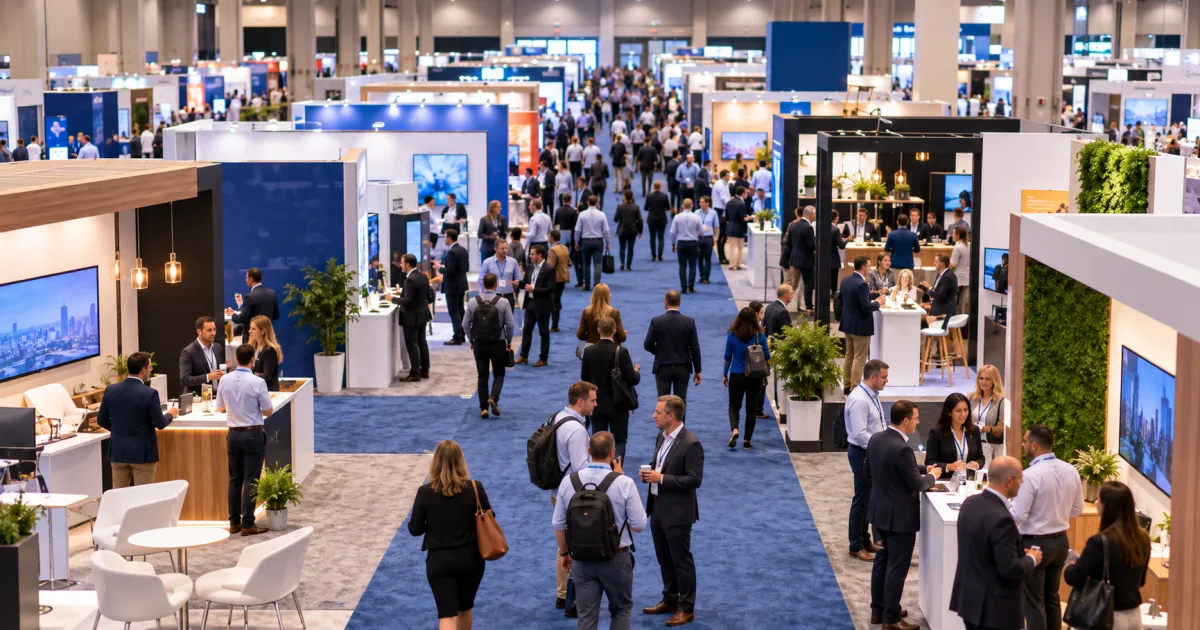
What "Trade Show Operations" Actually Covers
The term gets used loosely, so it's worth being specific about what it includes and what it doesn't. Trade show operations is not the same as event marketing (driving registration), and it's not the same as content programming (building the agenda). It's the operational layer underneath both: the systems and workflows that let exhibitors buy and staff a booth, let attendees find and visit that booth, and let everyone involved measure whether the show delivered.
Five areas make up that layer:
- Floor plan and booth sales: designing the floor, pricing booths, and managing the sales and assignment process
- Exhibitor coordination: everything an exhibitor needs from contract signature through move-out
- Lead retrieval: how exhibitors capture and use attendee information gathered at their booth
- Check-in and badging: getting attendees and exhibitor staff through the door and onto the floor
- Sponsor and exhibitor ROI reporting: proving the show delivered value, to justify next year's renewal
A small show can run these as five loosely connected spreadsheets and still survive. A show with more than a handful of exhibitors starts to break down that way, because the areas aren't actually independent — a booth reassignment affects badge printing, a lead retrieval outage affects the renewal conversation, and a check-in bottleneck affects exhibitor foot traffic. The rest of this guide treats them as one operation with five parts, because that's how they actually behave under pressure.
Who Actually Owns This Work
On a smaller team, one operations lead often owns all five areas, moving between them as the calendar demands: booth sales and floor planning dominate the months before the show, exhibitor coordination ramps up in the final weeks, and check-in and reporting take over during and immediately after. On a larger team, these areas usually split across two or three roles — an exhibitor or sponsorship manager who owns floor plan and exhibitor coordination, an operations or logistics lead who owns check-in and onsite execution, and someone (sometimes the same operations lead, sometimes a dedicated analyst) who owns reporting.
Neither structure is inherently better, but whichever one a show uses, the handoffs between roles are where the "breaks down at the seams" failures described later in this guide tend to originate. A booth reassignment made by the exhibitor manager needs to reach whoever is printing badges. A lead retrieval issue discovered onsite needs to reach whoever manages the exhibitor's account, not just get logged and forgotten in the chaos of the show floor. The organizational structure matters less than whether information actually moves between the people who need it, in real time, without depending on someone remembering to send an email.
Floor Plan and Booth Sales
The floor plan is both a sales tool and an operational document, and treating it as only one or the other causes problems later.

Setting Booth Pricing and Packages
Booth pricing typically follows one of two structures: flat pricing by booth size (a 10×10 costs the same regardless of location) or tiered pricing by location (corner booths, high-traffic aisles, and spots near the entrance or a keynote stage command a premium). Tiered pricing generally captures more revenue from a fixed floor, since exhibitors who care about visibility will pay for it, but it requires the floor plan to exist and be priced before sales open, not sketched out reactively as booths sell.
Package structure matters as much as the price. A booth-only package versus a package that bundles in staff passes, a listing in the show directory, or lead retrieval access changes both the sales pitch and what your team has to track per exhibitor. Bundling lead retrieval into a higher tier, rather than selling it as a pure add-on, is a common structure for shows that want to push more exhibitors toward the higher package without a separate line-item negotiation.
Handling Adjacency and Placement Requests
Every trade show with repeat exhibitors accumulates placement requests: competitor separation ("we don't want to be next to Acme"), proximity requests ("we want to be near the coffee station" or "near last year's spot"), and accessibility needs. None of these are unreasonable individually, but they compound fast. A floor plan with 150 booths and even a modest rate of placement requests can mean 30-40 constraints to satisfy simultaneously, which is a genuinely hard manual puzzle once you're past a few dozen booths.
The practical approach that scales: track requests as structured data attached to each exhibitor record, not as notes in an email thread, and resolve them in priority order — usually by tenure, package tier, or contract value — rather than first-come-first-served on the request itself. Waiting to assign booths until enough of the floor is sold to actually plan around the constraints is also worth the delay; assigning early and re-shuffling later creates far more exhibitor friction than a short assignment delay does.
Interactive Floor Plans vs. Static Maps
A static PDF floor plan, laid out once in a design tool and re-exported every time a booth changes, is the default for smaller shows and it works fine at that scale. Past a hundred or so booths, the re-export cycle becomes a real bottleneck: every sale, cancellation, or reassignment means someone opens the source file, moves things around, and pushes a new PDF to the website and the printed show guide, and there's always a window where the public-facing map is stale relative to what's actually sold.
An interactive floor plan tied directly to the booth sales and exhibitor data avoids that lag by construction — the map reflects whatever the sales and assignment records say, because it's reading from the same data rather than a manually maintained copy of it. That also opens up attendee-facing functionality a static PDF can't offer: booth search by exhibitor name or category, "find my way" style navigation, and a live view of which booths are confirmed versus still available for prospects touring the floor plan before the show.
Exhibitor Coordination From Contract to Move-Out
Once a booth is sold, the operational relationship with that exhibitor runs on a timeline with real deadlines: staff registration, badge information, shipping and material handling instructions, booth setup requirements, and eventually move-in and move-out logistics.
The failure mode here is familiar to anyone who has run a show with more than 50 exhibitors: each of those deadlines lives in a different tool or a different email thread, so nobody has a single view of which exhibitors are behind on which deliverable. A show two weeks out with unconfirmed staff lists for a third of exhibitors is a normal, unremarkable state if there's no central tracking — and a genuinely stressful one to discover for the first time during move-in week.
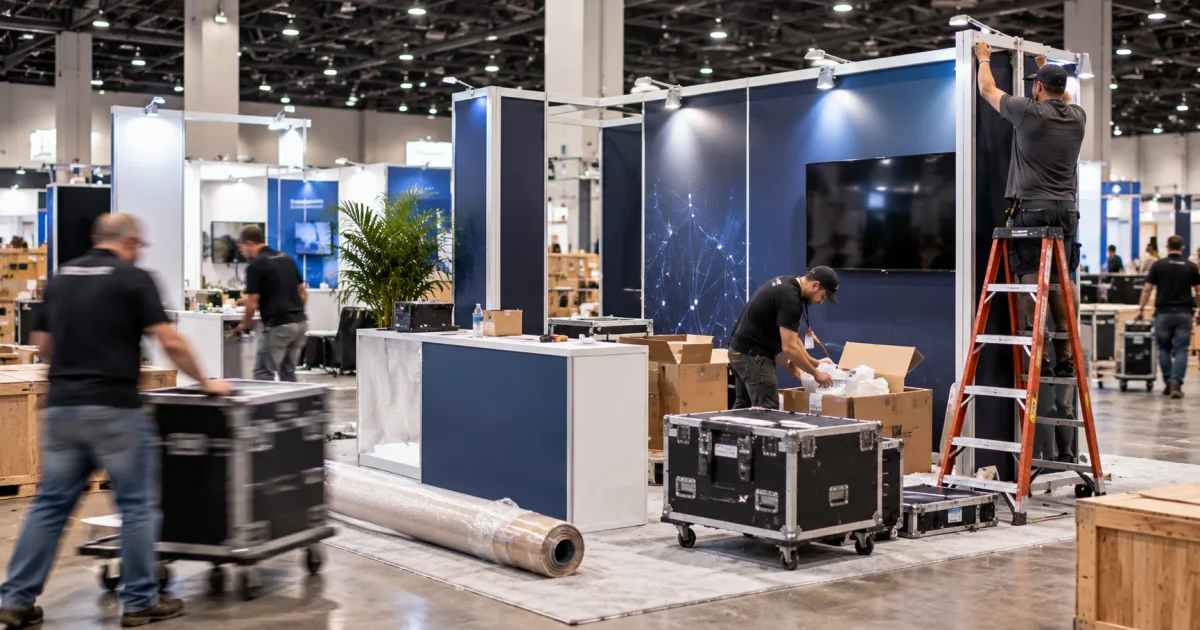
An exhibitor portal — a self-service place where exhibitor contacts log in to register their own staff, confirm booth details, and see their own deadlines — shifts a meaningful share of this coordination burden off the organizer's team and onto the exhibitor, who is generally more motivated to get their own booth right than your team is to chase them for it. The organizer's job shifts from manually collecting information to monitoring a dashboard for who hasn't completed what, and following up only where it's actually needed.
Staff passes deserve their own attention here. Exhibitor staff aren't attendees, and most shows want different check-in rules, different badge designs, and sometimes different floor access for booth staff versus general attendees. Quota-based staff pass allocation (each booth size gets a set number of included staff badges, with paid add-ons beyond that) is the most common structure, and it needs to be enforced automatically rather than manually reconciled against a spreadsheet on move-in day.
Shipping, Material Handling, and Move-In Logistics
Most of the friction in this category isn't unique to trade shows — it's the same freight and material-handling coordination any large physical event deals with — but a few decisions are worth making explicit rather than leaving to convention-center default. Publish a single move-in schedule with time windows by booth size or location, not a first-come-first-served free-for-all; larger booths with more freight generally need earlier slots so they're not competing with smaller exhibitors for dock access. Make the venue's material handling rates and deadlines visible to exhibitors well before the show, since surprise drayage costs are one of the most common exhibitor complaints post-show, and organizers get blamed for venue pricing even when they don't control it. And confirm booth-specific power, internet, and rigging needs during exhibitor onboarding, not during a walk-through the morning of move-in, when a last-minute electrical request can mean waiting for a venue electrician who's already booked solid.
Lead Retrieval as an Operations Decision, Not Just a Feature
Lead retrieval gets talked about as a checkbox feature, but operationally it's a decision with real cost and revenue implications that organizers should treat deliberately rather than defaulting into.

The A/V Vendor Default, and What It Costs
Historically, lead retrieval at most trade shows has meant renting scanning hardware from the show's A/V or general services contractor, at a per-booth or per-device rate that commonly runs $300 to $2,500 depending on the show and the hardware tier. That money goes to the A/V vendor, not the organizer, and the exhibitor experience is usually a standalone app or device disconnected from anything else about the show.
The operational alternative is lead retrieval built into the same system exhibitors already use for their booth information and staff registration, accessible from a phone exhibitors already have rather than rented hardware they pick up and return. That shifts the economics: an organizer can offer it free as a differentiator against competing shows, or charge exhibitors directly and keep that revenue, which A/V-vendor-provided lead retrieval never makes possible. At $150–$250 per booth across 150 exhibitors, that's $22,500–$37,500 in revenue an organizer simply doesn't capture under the A/V vendor model, on top of a better exhibitor experience.
What Exhibitors Actually Do With Captured Leads
The operational question that matters more than "can exhibitors scan badges" is what happens to the data afterward. Exhibitors need to qualify leads on the spot (hot/warm/cold, a note field, maybe a custom question or two), and they need the export to land somewhere usable — a CRM-ready file, not a PDF they have to re-key by hand. A lead retrieval tool that captures a scan but produces an export nobody at the exhibitor's company actually uses is a wasted booth investment, and it's the single most common reason exhibitors don't renew: not that lead retrieval didn't work, but that the leads it captured never turned into a follow-up.
Attendee and Exhibitor Check-In at Scale
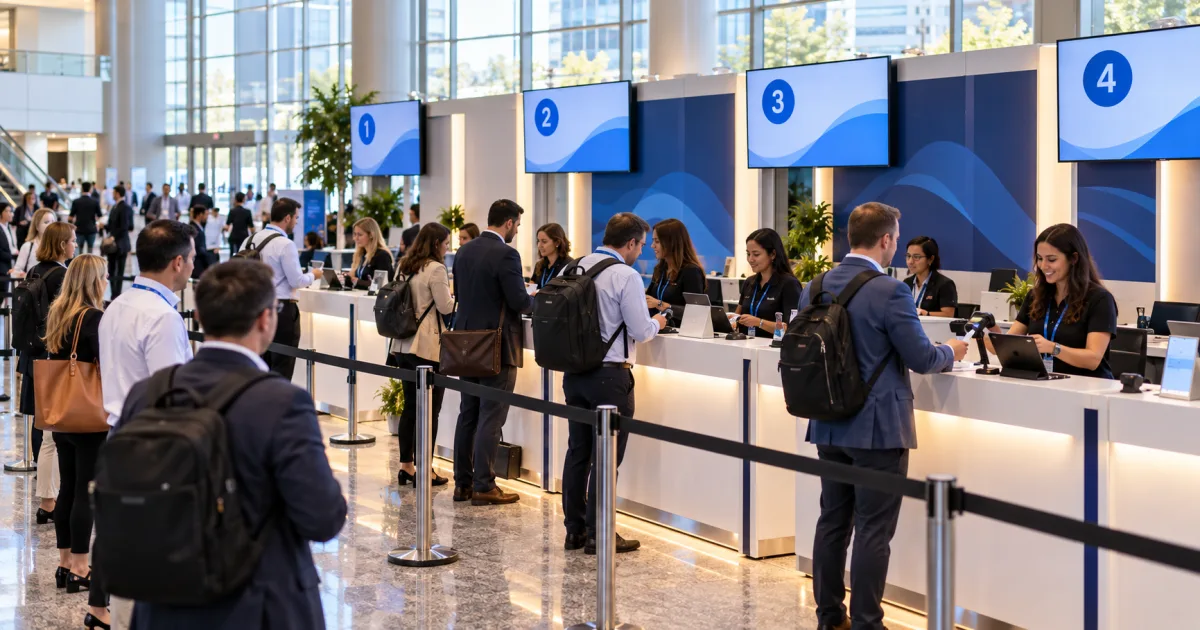
Check-in is the first physical experience of the show for both attendees and exhibitor staff, and it's the area where operational planning failures become immediately, visibly obvious — a slow line at 8:45 AM is not a problem you can quietly fix later in the day.
Staffing Check-In for Peak Arrival
The math that matters is throughput per station against expected peak arrival rate. A staffed check-in station using mobile scanning typically processes an attendee in 15-30 seconds; a self-service kiosk with badge printing runs closer to 20-30 seconds end to end, including lookup. If 40% of a 2,000-attendee show arrives in the first hour, that's 800 people needing to check in within roughly 60 minutes — which, at 25 seconds per check-in, requires roughly 9-10 concurrently staffed stations running at full efficiency, not the 3-4 stations that might look adequate on paper based on total attendee count alone.
Floor Plans & Booth Sales
Sell booths straight from your floor plan
Build the plan, price booths by exhibitor product and assign them to orders. The plan updates as booths sell.
Exhibitor staff check-in is a separate queue in practice, even if it uses the same underlying system, because exhibitor staff typically arrive before doors open and need floor access before general attendees do. Treating exhibitor and attendee check-in as the same queue creates a bottleneck for both groups during the highest-stakes arrival window of the show.
Badge Printing Method Tradeoffs
Pre-printed badges are faster at the door and cheaper per badge, but only work well when registration data is stable well before the event — a meaningful no-show or last-minute-registration rate erodes that advantage quickly. On-demand printing at staffed stations handles late changes cleanly but adds 10-20 seconds per check-in and requires a printer at every station. Self-service kiosk printing offers the best throughput for high-volume arrival windows once attendees are comfortable with the flow, but needs clear signage and a staffed alternative for exceptions. Most shows above a few hundred attendees end up running a hybrid: pre-printed badges for the bulk of confirmed registrants, on-demand or kiosk printing for walk-ins and late changes.
Proving ROI to Sponsors and Exhibitors
The operational work of the show doesn't end when the doors close. Sponsors and higher-tier exhibitors typically expect some form of post-show reporting, and the quality of that reporting is a direct input into whether they renew.
What Metrics Actually Matter
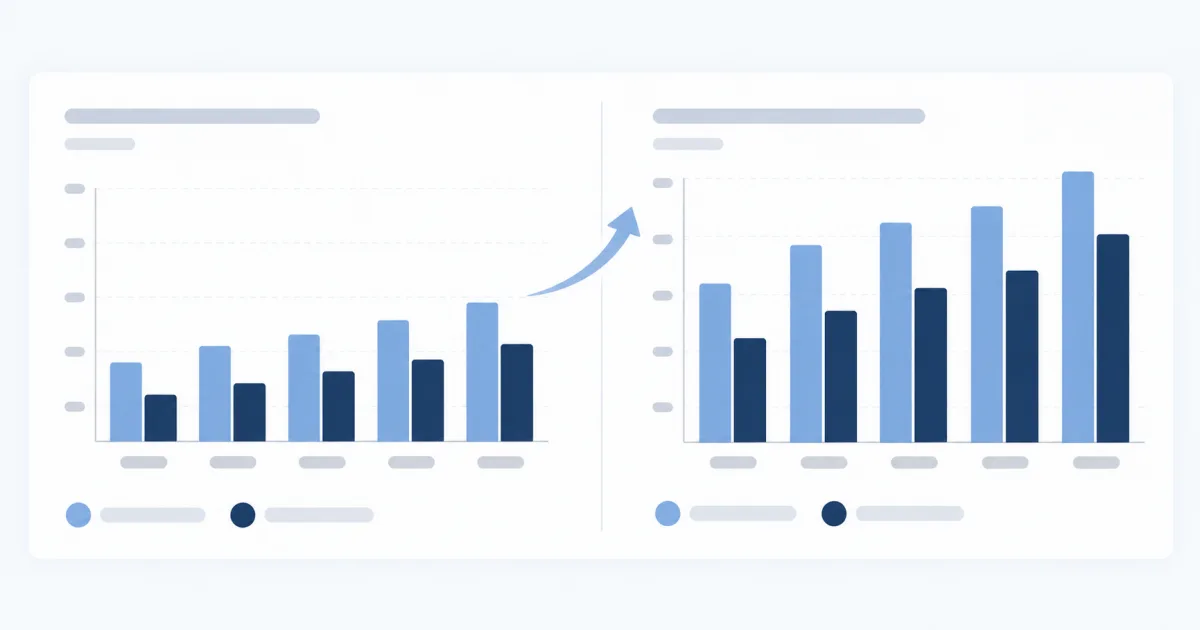
Booth traffic (scans or check-ins at a booth) is the baseline metric, but it's a weak one on its own — traffic without engagement doesn't tell a sponsor much. Lead count, lead quality distribution (if exhibitors are qualifying leads at time of scan), session attendance for sponsored content, and year-over-year comparison are what turn a report into something a sponsor can actually evaluate their spend against. "Your booth had 340 scans" is a number. "Your booth had 340 scans, 89 qualified as hot leads, and that's up 15% from last year" is a renewal conversation.
Turning Data Into a Renewal Conversation
The organizers who get this right treat post-show reporting as a deliverable with a deadline, not an afterthought produced whenever someone gets around to exporting the data. A report delivered within a week or two of the show, while the exhibitor's experience is still fresh, does more for the renewal conversation than a more polished report delivered a month later after the exhibitor has moved on to the next thing on their calendar. Automating the export — pulling booth traffic, lead counts, and comparison data directly from the systems that captured it, rather than manually compiling it from four different sources — is usually what makes the faster timeline realistic.
Not Every Exhibitor Needs the Same Report
A title sponsor who paid a five-figure package and expects a board-ready deck is a different reporting problem than a standard 10×10 booth that wants a quick summary of their own scan count. Building one detailed report format and manually trimming it down for smaller exhibitors is slower than it needs to be; the more scalable approach is a tiered reporting structure where the underlying data pull is the same for every exhibitor, but the format and depth scale with package tier — an automated one-page summary for standard booths, a fuller breakdown with year-over-year comparison for mid-tier exhibitors, and a presentation-ready package for sponsors and anchor exhibitors who expect one. That way the team isn't rebuilding a report from scratch for every exhibitor, and every exhibitor still gets something that reflects what they actually paid for.
What to Look for in Trade Show Operations Software
Given how much of the failure pattern above comes down to disconnected systems, the most useful lens for evaluating any trade show operations tool isn't its feature list in isolation — most platforms in this space check similar boxes on a feature-by-feature comparison. The more useful question is whether those features share data automatically, or whether "integration" means exporting a CSV from one system and importing it into another.
A few concrete tests worth applying during evaluation: does a booth reassignment in the floor plan update the badge printing list without a manual step? Does upgrading an exhibitor's package automatically activate the features that package includes, or does someone have to remember to flip a setting? Does check-in and lead-capture data flow into reporting in real time, or does building a post-show report mean exporting from three or four places and reconciling them by hand? A platform that answers "yes, automatically" to those questions removes the seams described throughout this guide. A platform that answers "yes, with an export/import step" has moved the seam rather than closed it.
It's also worth evaluating how the tool handles the exhibitor-facing side, not just the organizer-facing side. A self-service exhibitor portal that reduces your team's manual collection work only helps if exhibitors will actually use it, which usually comes down to whether it's simple enough that a first-time exhibitor contact can complete their registration and staff list without a support call. And for lead retrieval specifically, check whether it runs on hardware exhibitors already own (a phone) or requires rented or proprietary devices, since that difference affects both cost and how many exhibitors actually adopt it at the show.
Where Trade Show Operations Actually Breaks Down
Across all five areas, the failure pattern repeats: not that any single area is poorly executed, but that the areas aren't connected, so a change in one doesn't propagate to the others without manual work.
A few examples that show up repeatedly:
- A booth reassignment doesn't reach the badge printing list. An exhibitor moves from booth 214 to booth 220 two days before the show, and their staff badges still print with the old booth number because floor plan changes and badge data live in separate systems.
- Lead retrieval access isn't tied to the exhibitor's actual package. A booth that upgraded to include lead retrieval a week before the show doesn't get access activated, because there's no automatic link between the sales record and the operational system.
- Check-in data doesn't feed sponsor reporting. Attendance and scan data sits in the check-in system, and someone has to manually export and reconcile it against exhibitor records to build the post-show report, which is exactly the kind of task that slips when the team is exhausted the week after the show.
- Staff pass quotas get enforced manually, inconsistently, or not at all. Without automatic enforcement tied to each exhibitor's actual package tier, staff pass overages get caught (if they're caught at all) at check-in, which is the worst possible time to have that conversation.
None of these are failures of effort. They're failures of connection — the operational areas are handled well individually but don't share data, so someone's job becomes manually keeping them in sync, and that job gets harder exactly when the show gets bigger.
A Worked Example: How This Compounds at 150 Booths
Consider a mid-size trade show with 150 exhibitor booths and roughly 3,000 attendees, run by a lean three-person operations team. Two weeks out, a returning exhibitor upgrades from a 10×10 to a 10×20 booth and requests a location change to be closer to the main entrance. That single change touches four separate systems in a typical disconnected setup: the floor plan (booth boundaries and location), the badge printing list (booth number on staff badges), the staff pass quota (a larger booth includes more included passes), and the lead retrieval provisioning (if the upgrade includes a lead retrieval tier the smaller booth didn't).
In a disconnected setup, each of those four updates is a separate manual task, typically performed by whichever team member happens to process the change request, and there's no built-in check that all four actually happened. In this scenario, the location change gets made in the floor plan tool, but the staff pass quota update gets missed, because it lives in a different spreadsheet nobody double-checks against the floor plan changes each week. On move-in day, the exhibitor's fifth staff member gets turned away at check-in for exceeding their old quota, generates a frustrated call to the show office, and the team spends 20 minutes mid-move-in tracking down the original upgrade paperwork to confirm the correct quota, which everyone involved would rather have spent on literally anything else.
Multiply that by even a modest rate of exhibitor changes across 150 booths, and it becomes clear why "the show ran fine" and "the operations team is exhausted and dreading next year" are both common, simultaneous outcomes at shows this size. The fix isn't more diligence from the team, it's removing the four separate manual steps in favor of one update that propagates automatically.
Building a Trade Show Operations Timeline
A useful way to sequence all of the above is against three phases, each with a different operational focus:
Pre-show (booth sales through the week before): finalize the floor plan and pricing, open booth sales, manage adjacency and placement requests, onboard exhibitors through a portal, collect staff lists and badge information, confirm shipping and move-in logistics, and activate lead retrieval access by package tier.
Onsite (move-in through move-out): run exhibitor staff check-in separately from attendee check-in, staff check-in stations against realistic peak-arrival throughput math, monitor lead retrieval usage and troubleshoot exhibitor issues in real time, and track booth traffic and engagement as it happens rather than waiting to reconstruct it after the fact.
Post-show (the two weeks after): export and deliver sponsor and exhibitor ROI reports on a real deadline, capture renewal conversations while the exhibitor's experience is still fresh, and review where the operational connections above broke down this cycle so next year's version of the same show doesn't repeat it.
Treat that last step as a genuine part of the timeline, not an optional nice-to-have squeezed in after everyone's had a chance to recover. The specific failure that generated the most frustration this cycle — a booth reassignment that didn't reach badge printing, a staff pass quota that got enforced inconsistently, a sponsor report that took three weeks instead of one — is exactly the thing worth documenting while it's still fresh, so the fix (usually a process change, sometimes a tooling change) is already decided before next year's planning cycle starts rather than rediscovered from scratch under the same time pressure.
Running Trade Show Operations with VenueSight
VenueSight connects the five areas above in one system rather than five separate tools, which is the actual fix for the "breaks down at the seams" failure pattern described earlier.
The floor plan is interactive and tied directly to exhibitor and booth-sales records, so a booth reassignment updates instantly everywhere it matters, badge printing included, without a manual re-sync step. Exhibitors manage their own staff lists, booth details, and deadlines through a self-service portal, with staff pass quotas enforced automatically against each exhibitor's package tier rather than reconciled by hand at check-in.
Lead retrieval runs from exhibitor staff's own phones, connected to the same booth and package data, so access activates automatically when an exhibitor's package includes it, no separate provisioning step required. Organizers can offer it free to attract more booths, or charge exhibitors directly and keep that revenue, instead of routing that money to an A/V vendor.
Check-in supports staffed mobile scanning, self-service kiosks, and instant badge printing and reprints from the same registration data exhibitors and attendees already entered, with exhibitor staff check-in handled separately from general attendee arrival so the two peak-traffic windows don't collide. And because booth traffic, lead capture, and attendance data live in the same platform, post-show sponsor and exhibitor reports pull directly from the operational data instead of a manual, multi-system export the week after the show.
See the full feature set on the trade show management software page, or go deeper on a specific area: exhibitor lead retrieval, event check-in and badge printing, or event analytics and reporting. For the exhibitor-coordination side specifically, our trade show exhibitor management guide and floor plan design guide go deeper on those two areas individually. Or book a demo to see the full operation connected end to end.
Frequently Asked Questions
-
VenueSight connects floor plan and booth sales, exhibitor coordination, lead retrieval, check-in and badge printing, and sponsor ROI reporting in one platform, so a booth reassignment, a package upgrade, or a check-in scan updates automatically everywhere it matters instead of requiring a manual sync across separate tools.
-
At a typical A/V vendor rate of $300 to $2,500 per booth that goes entirely to the vendor, an organizer who instead offers built-in lead retrieval and charges exhibitors $150 to $250 per booth directly can generate $22,500 to $37,500 in new revenue across 150 exhibitors, while giving exhibitors a lower-cost, phone-based alternative to rented scanning hardware.
-
A staffed check-in station using mobile scanning typically processes an attendee in 15 to 30 seconds. If a large share of attendees arrives in the first hour, that arrival rate divided by station throughput determines the number of concurrently staffed stations needed, which is usually higher than a simple ratio of total stations to total attendees would suggest.
Tagged with:
Related posts
- CME Accreditation and Conference Software: What Your Platform Actually Needs to Do
- Trade Show Lead Retrieval: The Organizer’s Blueprint for Exhibitor ROI
- Booth Reassignments, Upgrades, and Cancellations Without Breaking Your Floor Plan
- Running a Conference With 10,000+ Attendees: The Software and Operations Checklist