
What Is Exhibitor Lead Retrieval and How Does It Work?
How exhibitor lead retrieval works, what it costs, what data it captures, and how to evaluate systems for your next trade show.
May 7, 2026
Ask any trade show exhibitor how they measure event ROI and the answer is almost always the same: leads. Not booth traffic, not brand impressions, not session attendance — leads. How many qualified contacts did we collect, and what happened with them after the show?
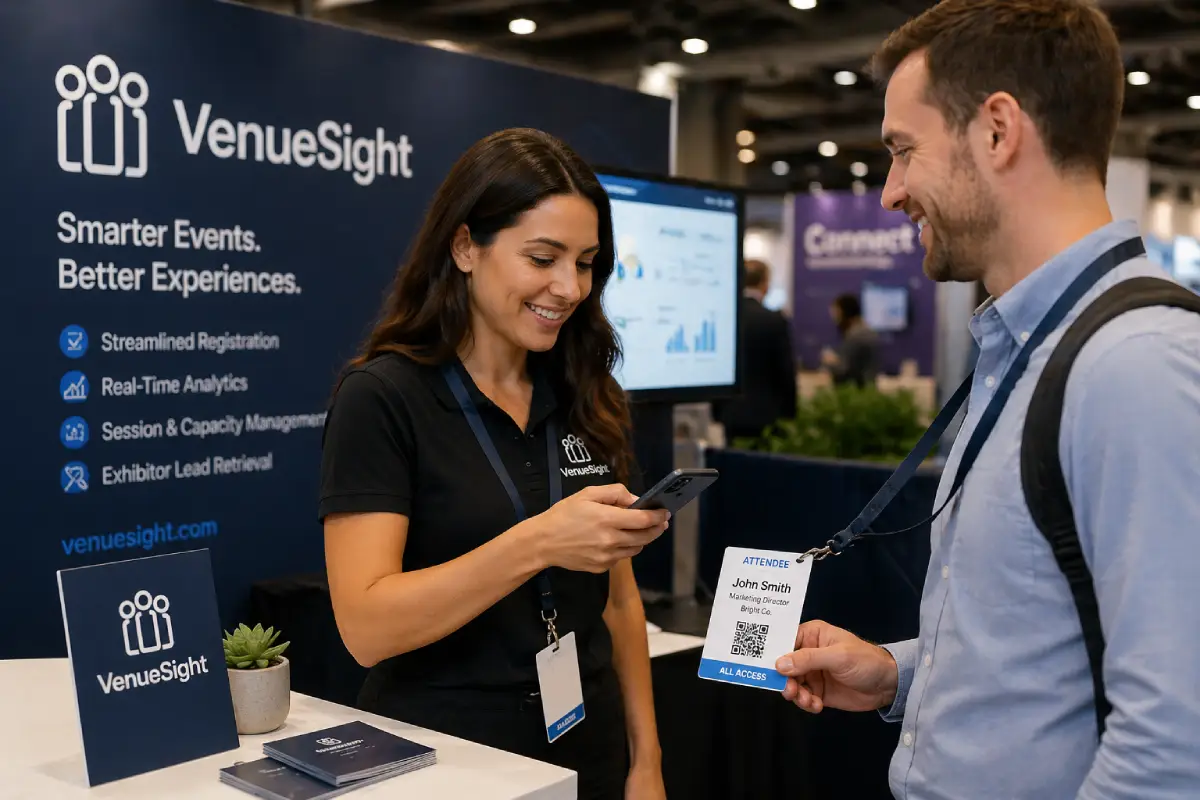
Lead retrieval is the technology that makes that measurement possible. Without it, exhibitors collect business cards (which get lost), fill out paper forms (which produce inconsistent data), and reconstruct conversations from memory days after the show. With it, every booth interaction becomes a structured record connected to the attendee's registration data, annotated with qualification notes, and available for immediate follow-up.
This guide explains how lead retrieval works end-to-end, what organizers need to know when offering it, and what separates a well-implemented lead retrieval system from one that frustrates exhibitors and underdelivers the data they paid for.
The Basic Concept: What Lead Retrieval Actually Is
Lead retrieval is a system that lets exhibitors capture attendee contact information at the point of a booth interaction — typically by scanning a QR code or barcode printed on the attendee's badge. The scan resolves to the attendee's registration record and creates a lead entry in the exhibitor's account, along with any notes or qualification data added by the booth staff member.
The core value proposition is straightforward: instead of manually collecting and transcribing business cards (some people don't carry them anymore), or asking attendees to fill out a form (few do), or typing names into a spreadsheet during a busy conversation (unreliable and slow), the exhibitor's staff member taps a button, scans a badge, and a structured contact record is created in seconds.
Lead retrieval doesn't replace the conversation — it records the output of it. The quality of leads depends on the quality of the interaction and the qualification data added alongside the scan.
How the Technology Works End-to-End
Lead retrieval operates through a chain of connected systems. Understanding the full chain helps you understand where things can go right and where they can go wrong.
Step 1: Attendee QR code generation
When an attendee registers for the event, the event management system generates a unique identifier for that registration record. This identifier is encoded as a QR code (or sometimes a barcode or NFC chip) that gets embedded in the attendee's confirmation email and printed on their physical badge.
The QR code itself doesn't contain the attendee's personal information — it contains a unique token that resolves to their registration record when scanned by an authorized system. This is an important distinction: a photo of someone's badge doesn't expose their contact data without access to the underlying database.
Step 2: Exhibitor setup
Before or during the event, exhibitors access the lead retrieval system through an app on their smartphone or tablet. They log in with credentials specific to their booth account. In well-designed systems, exhibitors can configure their qualification questions, lead rating scales, and custom fields before the show opens — so they're ready to use the system productively from the first scan.
Step 3: Badge scan at the booth
During the event, an exhibitor's staff member opens the lead retrieval app and uses the phone's camera to scan an attendee's badge QR code. The app communicates with the lead retrieval server (or resolves from a cached database, in offline mode) and returns the attendee's contact information. The scan itself takes 1–3 seconds.
Step 4: Qualification annotation
Immediately after the scan, the exhibitor's staff member adds context: a lead rating (hot, warm, cold), notes from the conversation, qualification question responses, and any follow-up actions flagged. This happens in real time, at the booth, while the conversation is fresh.
Step 5: Data sync and storage
Captured leads sync to the exhibitor's account — either in real time over WiFi or in batch when connectivity is restored (offline mode). Exhibitors can view their growing lead list from any authorized device during the show.
Step 6: Post-event lead delivery
After the show closes, the lead retrieval system generates a comprehensive lead report for each exhibitor: all scanned contacts, qualification ratings, notes, custom question responses, and timestamps. This report is delivered to the exhibitor's account and typically available as a CSV export or sent directly to a connected CRM.
What Data Gets Captured at the Point of Scan
This is where organizers and exhibitors sometimes have misaligned expectations: lead retrieval captures whatever the event collected during registration. The scan doesn't create new data — it retrieves the registration data linked to that badge.
Common fields available through lead retrieval scans:
- First and last name
- Email address
- Job title
- Company name
- Phone number (if collected at registration)
- City, state, or country (if collected)
- Ticket type or registration category
If the event's registration form only collected name and email, lead retrieval scans produce leads with only name and email. If registration collected title, company, phone, and LinkedIn URL, those fields are available through every scan.
This is why registration data quality is a direct value driver for exhibitors. Organizers who design comprehensive registration forms — capturing title, company, and phone as standard fields — deliver more actionable leads to every exhibitor at no additional cost. This is one of the highest-leverage things an organizer can do to improve exhibitor satisfaction without changing anything about the lead retrieval product itself.
Exhibitor-Side Qualification Tools
The badge scan is the beginning of a lead record, not the end. What makes lead retrieval operationally useful is what exhibitors can capture alongside the contact information.
Lead rating
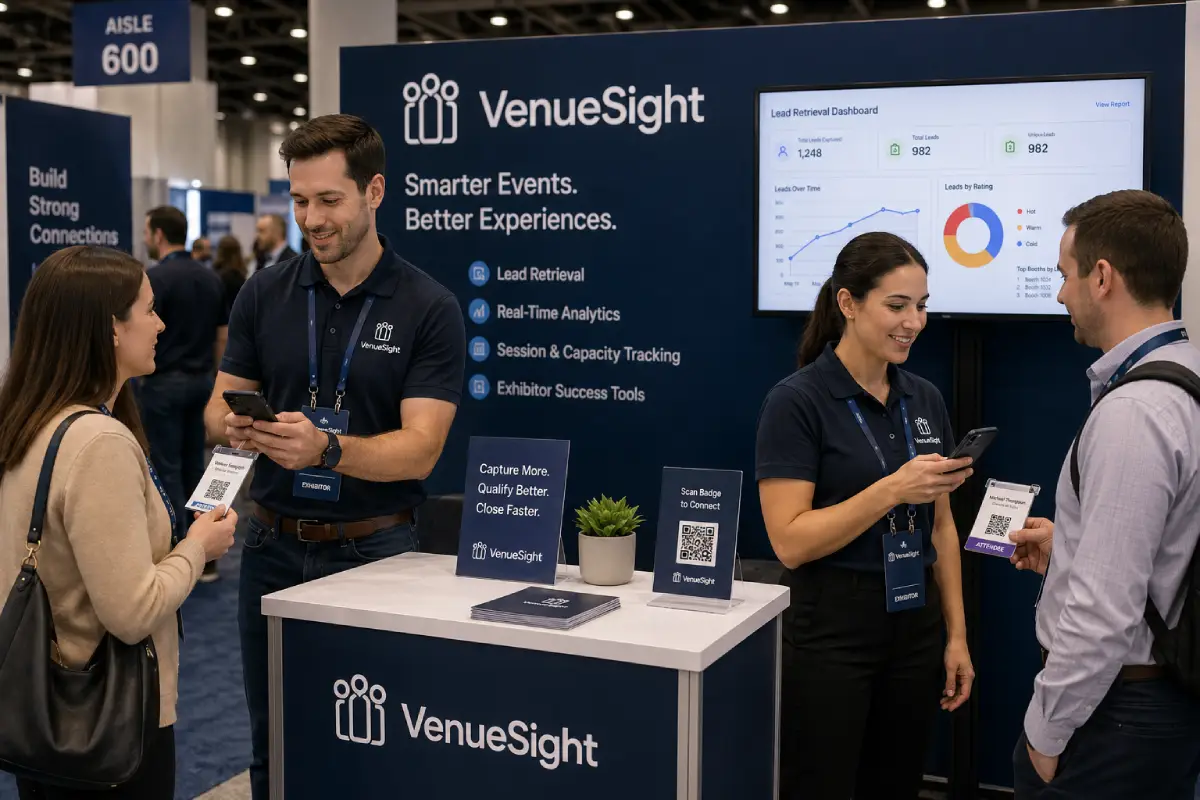
Most systems provide a simple rating mechanism — hot / warm / cold, or a 1–5 scale — applied at the moment of scan. This lets exhibitors triage their lead list before the show ends. By the close of day one, an exhibitor might have 80 scans; the hot leads are already flagged for same-day follow-up by their sales team.
Custom qualification questions
The best lead retrieval systems let exhibitors configure questions that appear in the scan workflow after each capture. These questions become part of the lead record:
- "Which product are you interested in?" (dropdown: Product A / Product B / Not sure)
- "What's your current solution?" (free text)
- "What's your budget timeline?" (dropdown: Immediate / Q3 / Next year / Just researching)
- "Are you the decision maker?" (yes / no / shared)
Exhibitors who arrive at the event with their qualification questions configured collect structured, sortable data rather than a pile of unorganized contacts. This data significantly improves the quality of post-show follow-up.
Free-form notes
A text field where the staff member can type a brief note from the conversation: "Mentioned they're evaluating us vs. Competitor X," "Wants a product demo before Q3," "Currently on a 3-year contract, renewal August." Notes add context that no qualification scale can capture and are often the deciding factor in whether a follow-up conversation lands.
Follow-up flags and action assignment
Some systems allow exhibitors to flag specific actions at the point of scan: "Send a demo request," "Add to newsletter," "Schedule a call," "Send a specific document." These flags flow into the post-show lead export and help sales teams prioritize their follow-up queue without reviewing every note individually.
Lead Retrieval Hardware vs. App-Based Systems
There are two main delivery mechanisms for lead retrieval: purpose-built hardware devices and smartphone apps.
Purpose-built scanner devices
Older lead retrieval systems use dedicated barcode scanner devices — often chunky hardware units rented from the event or lead retrieval vendor, typically at
250–500 per device per show. These devices:
- Don't require exhibitor staff to use their personal phones
- Are purpose-built for scanning and handle the physical action reliably
- Are returned at the end of the show, removing device management from exhibitors
- Are increasingly outdated compared to modern smartphone apps in terms of UI capability
Smartphone app-based systems
Modern lead retrieval increasingly runs through an iOS or Android app on exhibitors' existing phones. These systems:
- Require no hardware rental or return logistics
- Support multiple simultaneous users across a booth (each staff member uses their own phone)
- Offer richer UI for qualification questions, notes, and ratings
- Sync in real time across the team — all staff see all leads, no device reconciliation at day's end
- Require working smartphones and app downloads before the show opens
Most newer lead retrieval systems are app-based or hybrid. The key requirement for app-based systems is offline capability — if the app requires internet connectivity to save a scan, it's not safe to use in a large convention venue with unreliable WiFi.
How Exhibitors Use Lead Data After the Show
Lead retrieval is a data collection mechanism. The value is realized in what happens with the data after the show closes.
Immediate triage (day of / day after)
Hot leads — attendees with high qualification scores, strong conversation notes, and specific follow-up actions flagged — should enter an outreach workflow within 24 hours of the event closing. The recency advantage of an in-person conversation fades quickly; outreach within 48 hours connects while the interaction is still memorable.
Exhibitor Revenue
What could lead retrieval earn your show?
Lead retrieval is built in, so the fees exhibitors pay a third-party vendor today can go to your show instead. See the number for your floor.
Many exhibitors have their sales team reviewing and acting on hot leads before the show even closes — using the real-time lead access available in most modern systems.
CRM import
The full lead export (typically a CSV) gets imported into the exhibitor's CRM: Salesforce, HubSpot, Pipedrive, or whichever platform they use. At this point, leads become contacts or leads within their standard sales workflow. The quality of the export structure determines how smoothly this import goes — consistent field names, clean encoding, and no blank rows are baseline requirements.
Segmented follow-up sequences
Exhibitors with sophisticated marketing operations segment their lead export before CRM import: hot leads to SDR outreach, warm leads to a nurture sequence, cold leads to a newsletter add. Custom qualification question responses power this segmentation — which is why exhibitors who configure qualification questions before the show get dramatically better post-show outcomes than those who scan contacts without any qualification data.
ROI calculation
The ultimate measure of lead retrieval value is the revenue generated from event-sourced leads. Exhibitors who can attribute closed deals to specific event scans — because the event contact exists as a source-tagged record in their CRM — can calculate a precise ROI. Exhibitors who collect business cards and enter them manually weeks later can't.
What Organizers Need to Think About
Lead retrieval is often treated as an exhibitor add-on — something you sell through the exhibitor kit and let exhibitors figure out. This approach misses significant opportunity.
Lead retrieval is a retention driver
Exhibitors who capture good leads and convert them to customers return to your event. Exhibitors who struggle with lead capture, receive incomplete data, or can't export cleanly often don't. Your lead retrieval offering is part of the ROI story your exhibitors evaluate when making renewal decisions.
You control the upstream data quality
The registration data that flows through lead retrieval scans is entirely within your control. Every field you collect at registration becomes potential lead data for exhibitors. Designing your registration form with exhibitors' data needs in mind — requiring company name, job title, and phone number — improves lead quality for every exhibitor at no additional cost to you.
Lead retrieval setup needs to happen before the event, not at the booth
Exhibitors who don't set up their qualification questions and lead ratings before the show can only capture contact data — not structured qualification data. Organizers who make lead retrieval setup part of the pre-event exhibitor workflow (a required step in the exhibitor portal, with setup instructions and a walkthrough) produce dramatically better exhibitor outcomes than those who leave setup to day-of.
Data delivery timing is a satisfaction driver
Exhibitors expect lead data within 24–48 hours of the show closing. Delivery a week later significantly reduces their perception of the event's value — not because fewer leads were captured, but because the window for high-value follow-up has passed. Your lead retrieval system should generate and deliver reports automatically when the show closes, not require a manual action from your operations team.
Be explicit about what data is included
Some organizers sell lead retrieval without clearly stating which registration fields are included in the lead export. Exhibitors who expected phone numbers and got only name and email feel misled. Document exactly which fields are captured and included in exports, and make that documentation visible in your exhibitor kit.
Lead Retrieval Pricing Models
Lead retrieval is sold differently by different platforms. Understanding the common pricing structures helps you decide how to package it for your exhibitors.
Per-booth licensing
A flat fee per booth for access to the lead retrieval system, regardless of how many staff members use it during the show. Common pricing:
200–600 per booth depending on show size and features included. This is the most common model for organizer-provided lead retrieval.
Per-device licensing
A fee per device connected to the lead retrieval system. An exhibitor with 5 staff members at their booth needs 5 device licenses. This model benefits small booths (1–2 staff) and disadvantages larger ones. Less common in newer app-based systems since devices are exhibitors' own phones.
Per-lead pricing
Some systems charge per scan or per lead captured rather than a flat access fee. This aligns cost with usage but creates exhibitor anxiety about scanning (staff may be reluctant to scan uncertain prospects if each scan has a cost). Less favorable for exhibitors; avoid if your goal is maximizing exhibitor satisfaction.
Included in booth package
Some organizers include lead retrieval in all booth packages above a certain size as part of the value proposition, recovering cost through booth pricing rather than a separate line item. This simplifies exhibitor administration and removes a purchasing decision as a barrier to adoption — every exhibitor arrives ready to scan.
Common Questions From Exhibitors
"Can we use our own badge scanning app?" Some exhibitors arrive with their own CRM or event scanning apps and want to use their preferred system. Whether this is possible depends on whether your badge QR codes use a publicly documented format. Most organizers use a closed system where only authorized lead retrieval apps can decode badge data — this protects attendee information and ensures structured, consistent lead data. Be prepared to answer this question clearly in your exhibitor communications.
"What if we don't have WiFi at our booth?" Reliable lead retrieval apps cache the full attendee database locally and sync when connectivity is available. Exhibitors should never lose a scan because venue WiFi was congested during peak hours. This is a non-negotiable requirement — test offline mode before deploying any lead retrieval system at a live show.
"Can we download leads during the show?" Yes — and exhibitors should be able to. Real-time access to lead data during the event lets exhibitors triage, share captures with their sales team, and begin outreach on hot leads while the show is still running. A system that only delivers data post-event limits exhibitor ROI and makes it harder for them to justify the investment.
"How do we get leads into our CRM?" Some lead retrieval platforms offer direct integrations with Salesforce, HubSpot, and other common CRMs. Others deliver a CSV export that exhibitors import manually. Document which integrations your lead retrieval system supports and whether they're included in the base price or sold as add-ons.
"What if the QR code doesn't scan?" Attendees who don't have their QR code readily accessible (badge face-down, phone not loading, screen too dim) should have an alternative. Most systems support a manual attendee lookup by name or attendee ID as a fallback. This is slower than a scan but should be available so staff don't lose leads when a badge isn't scannable.
What to Look For When Evaluating Lead Retrieval Systems
Integration with your registration system. Lead retrieval that pulls from a separate attendee database introduces sync risk. An attendee who updated their email after registration may have stale data in the lead retrieval system. The best setup is a system where lead retrieval reads directly from the same database as registration.
Offline capability. Already covered, but worth restating clearly: badge scans must work without internet access. This is not optional for any venue with unpredictable WiFi.
iOS and Android support. Exhibitors use both platforms. An app available only on iOS creates a logistical problem for every exhibitor with Android-using staff.
Custom qualification questions. This is increasingly an exhibitor expectation, not a differentiator. If your lead retrieval tool doesn't support custom qualification questions configured by each exhibitor, it's below the market standard.
Multi-user booth access. All staff at an exhibitor's booth should be able to scan simultaneously, with leads consolidated in a single booth account. Systems that require lead reconciliation between multiple devices at the end of the day add unnecessary work.
Automated post-event delivery. Lead reports should generate and deliver automatically when the show closes — not require a manual export from your team for each exhibitor account.
Clean, structured export format. The CSV export should have consistent column headers, no blank rows, proper encoding for special characters in international names, and a format that imports cleanly into major CRM systems.
Running Lead Retrieval in VenueSight
VenueSight's lead retrieval is built directly into the event platform — it reads from the same attendee database as check-in and registration, so there's no sync lag and no data mismatch. Exhibitors configure their qualification questions in the exhibitor portal before the show. During the event, they scan badges from the VenueSight mobile app on iOS or Android, with full offline capability — scans are saved locally when WiFi is unavailable and sync when connectivity returns. All exhibitors on a booth account see a shared lead list in real time.
After the show closes, lead reports are automatically delivered to each exhibitor's account — no manual export required from your team.
For a broader look at how exhibitor management works end-to-end, see our Trade Show Exhibitor Management Guide. Or, if you're planning a trade show and want to offer exhibitors a strong lead capture experience, see how VenueSight handles exhibitor lead retrieval.
Frequently Asked Questions
-
It's built in. VenueSight's lead retrieval reads from the same attendee database as check-in and registration, so there is no sync lag; exhibitors scan badges from the VenueSight mobile app on iOS or Android, with offline support, and lead reports are delivered automatically to their account after the show with no manual export required from the organizer's team.
-
Yes. VenueSight lets organizers set their own lead retrieval pricing tiers and sell them directly to exhibitors, keeping that revenue instead of routing it to a separate third-party lead retrieval vendor, a model most competing event platforms do not support.