
Conference Registration Workflow: The Complete Operational Guide for 1,000–50,000+ Attendee Events
Learn how to design a seamless conference registration workflow for 1,000–50,000+ attendees. Reduce check-in delays and unify operations.
February 20, 2026
Large conferences don’t fail because of marketing. They fail operationally.
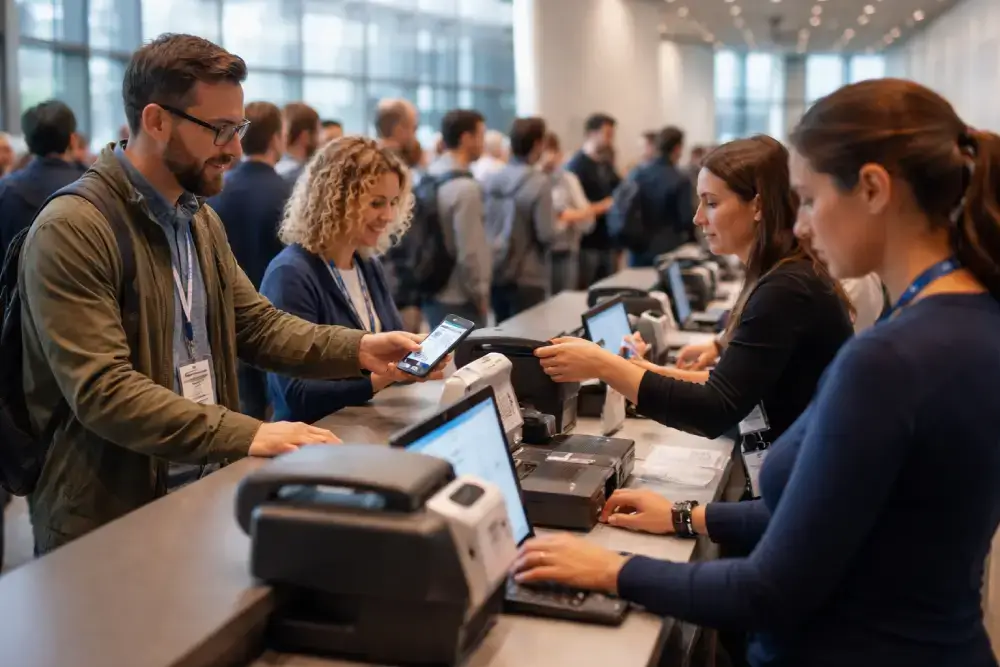
Registration bottlenecks. Badge printing delays. Exhibitor confusion. Disconnected systems. Manual spreadsheets. Real-time data gaps.
If you're managing a 1,000–50,000+ attendee conference or trade show, your registration workflow is not just an administrative process — it's the backbone of your event’s revenue and reputation.
In this guide, we’ll break down:
- What a modern conference registration workflow looks like
- Where operational risk typically occurs
- How to unify registration, exhibitors, check-in, badge printing, and analytics
- How to future-proof your workflow for scale
And we’ll show where platforms like VenueSight fit into that ecosystem.
1. What Is a Conference Registration Workflow?
A conference registration workflow is the structured system that manages:
- Attendee sign-up
- Ticket tiers & pricing
- Payment processing
- Data collection
- Confirmation communication
- Badge generation
- On-site check-in
- Real-time reporting
For smaller events, this can be handled manually or with lightweight tools.
For conferences and expos over 1,000 attendees, that approach collapses.
2. The 7 Critical Phases of a Large-Scale Registration Workflow
Phase 1: Pre-Launch Planning
Before registration opens:
- Define ticket tiers
- Define attendee types (VIP, speaker, exhibitor, sponsor)
- Map revenue model
- Identify discount logic
- Determine required custom fields
Many teams underestimate this phase.
Disconnected tools create data chaos before the first ticket is sold.
Platforms like VenueSight’s registration system integrate ticketing directly with exhibitor management and floor plans — eliminating cross-platform syncing.
👉 Explore how integrated registration works: https://venuesight.com/solutions/event-registration
Phase 2: Registration Page Experience
For high-volume conferences:
- Load speed matters
- Multi-tier logic must be clear
- Custom fields must be dynamic
- Payment security must be seamless
Poor UX here increases abandonment rates.
Phase 3: Exhibitor Registration Integration
Trade shows complicate workflows because exhibitors:
- Purchase booths
- Purchase add-ons
- Need staff badge allocations
- Require lead retrieval tools
This must connect to floor plans.
Disconnected systems here create downstream chaos.
See how trade show workflows differ: https://venuesight.com/solutions/trade-shows
Phase 4: Automated Confirmation & Communication
Every registrant should receive:
- Confirmation email
- Receipt
- Calendar hold
- Digital badge (if applicable)
- Event app instructions
Manual exports = failure.
Phase 5: Badge Printing & On-Site Check-In
This is where most conferences fail.
Common issues:
- Badge reprints
- QR mismatches
- Manual lookup delays
- Network sync issues
- Hardware disconnects
A unified platform avoids exporting CSVs to third-party printers.
VenueSight integrates:
- QR scanning
- Live badge printing
- Real-time attendance tracking
Phase 6: Real-Time Analytics
Operational teams need:
- Live attendance counts
- Check-in velocity tracking
- Session capacity data
- Exhibitor engagement stats
This isn’t post-event reporting.
It’s live operational intelligence.
Learn about analytics integration: https://venuesight.com/solutions/event-analytics
Conference Registration
Registration that feeds check-in, badges and reporting
Custom forms, group bookings, discounts and invoicing, with every registrant flowing straight into check-in and reporting.
Phase 7: Post-Event Reporting
Modern event reporting includes:
- Revenue breakdowns
- Sponsor ROI metrics
- Lead retrieval exports
- Engagement analytics
Disconnected systems make this painful.
Unified platforms make it automatic.
3. Where Large Conferences Experience Workflow Breakdown
Bottleneck #1: Disconnected Tool Stacks
Many teams use:
- Registration platform
- Separate badge vendor
- Separate exhibitor portal
- Separate floor plan software
- Separate analytics dashboard
This creates manual sync risk.
VenueSight eliminates this tool sprawl.
👉 Book a personalized workflow demo: https://venuesight.com/demo
4. Designing a Scalable Registration Workflow
For 10,000+ attendees:
You must plan for:
- Peak traffic surges
- High exhibitor volume
- Complex ticket tiers
- Sponsor access control
- Session capacity management
Scalability requires:
- Unified data architecture
- Centralized dashboard control
- Hardware + software alignment
- Real-time reporting
5. Registration Workflow for Trade Shows vs Conferences
Conferences Focus On:
- Session scheduling
- Speaker management
- Agenda tracking
Trade Shows Focus On:
- Booth assignments
- Exhibitor ROI
- Lead retrieval
- Floor plan management
VenueSight supports both — from one connected system.
Explore conference solutions: https://venuesight.com/solutions/conferences
6. Registration Workflow Optimization Checklist
✔ Ticket tier clarity
✔ Exhibitor integration
✔ QR badge automation
✔ Hardware testing
✔ Session capacity logic
✔ Real-time dashboards
✔ Post-event data exports
7. Should You Build or Buy?
Some organizations attempt internal builds.
Risks:
- Hidden maintenance costs
- Security exposure
- Hardware integration failures
- Manual operational dependencies
Platforms built specifically for high-volume events reduce risk.
8. When to Book a Demo
If you’re managing:
- 1,000+ attendees
- 50+ exhibitors
- Multi-track agendas
- On-site badge printing
You should review your workflow with a specialist.
👉 Book a 30-minute tailored demo: https://venuesight.com/demo
Or explore pricing: https://venuesight.com/pricing
Prefer self-serve? https://venuesight.com/register
FAQ
What is the best registration software for large conferences?
The best platforms unify registration, check-in, badge printing, exhibitor management, and analytics in one system to reduce operational risk.
How do I reduce check-in lines?
Use QR-based badge scanning with real-time syncing and pre-printed badge logic.
Can registration integrate with exhibitor management?
Yes — unified platforms like VenueSight connect these systems natively.
Final Notes
If you're planning a large conference or trade show and want to eliminate registration chaos:
👉 Book your personalized demo now: https://venuesight.com/demo
Or start building your event today: https://venuesight.com/register
Tagged with:
Related posts
- Early Bird Pricing Strategies for Events That Actually Drive Sales
- Conference Budget Template: A Line-by-Line Breakdown for Event Organizers
- Registration Software for Complex Ticket Types and Session Capacity Limits
- Event Registration Form Design: What to Ask, What to Skip, and How to Reduce Drop-Off